- Get link
- X
- Other Apps
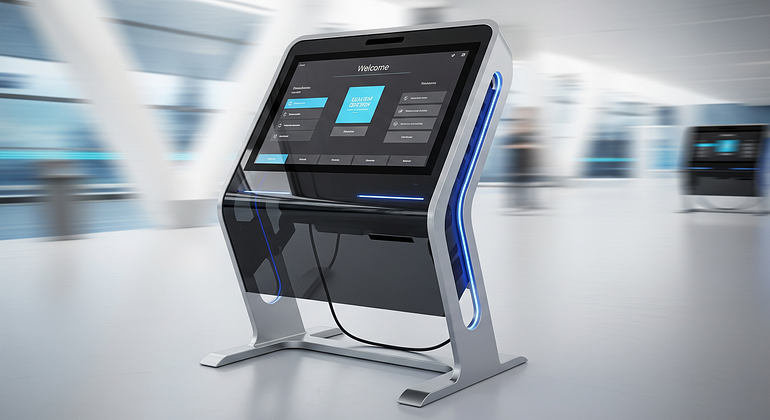
You have seen it many times. A self-checkout screen at a supermarket, an ordering screen at a quick-service restaurant, or a check-in tablet at a clinic or hotel. What once felt optional is now part of everyday business operations.
A kiosk machine is a self-service digital terminal that lets customers complete specific tasks without staff assistance.
Businesses do not invest in kiosks just to look modern. They invest because kiosks solve real operational problems. This post explains why companies across industries are adopting kiosk machines, what business benefits they actually deliver, and how to decide if kiosks are the right fit for your operation. The focus here is practical outcomes, not hype, so you can make informed decisions based on workflow, cost, and customer experience.
The Real Business Payoff of Kiosk Machines (Beyond Looking Modern)
Kiosk machines are adopted across restaurants, retail stores, hospitals, hotels, offices, and warehouses for one main reason: they improve efficiency in measurable ways. Results vary by industry and execution, but the gains tend to follow similar patterns.
Lower Costs and Better Use of Staff Time
Many business processes involve repetitive, low-value tasks. Taking orders, printing tickets, checking visitors in, or collecting payments may be necessary, but they consume staff time that could be used more productively.
Kiosk machines handle these tasks consistently and without fatigue. This does not automatically mean fewer employees. In many cases, it means staff are reassigned to higher-value work such as customer assistance, upselling, issue resolution, or floor management.
For example, in a quick-service restaurant, self-ordering kiosks reduce the time staff spend entering orders. Employees can focus on food preparation accuracy and speed, which improves overall service flow. In healthcare clinics, check-in kiosks handle appointment confirmation and form filling, allowing front-desk staff to assist patients who need extra help. In hotels, self check-in kiosks reduce queue pressure during peak arrival hours, while staff focus on guest support and concierge services.
A common operational benefit is shorter lines. When kiosks absorb routine transactions, bottlenecks reduce at counters and desks. Even a small reduction in average service time can significantly improve throughput during busy periods.
Higher Sales and Fewer Mistakes, Because the Customer Is in Control
When customers interact directly with a kiosk, accuracy improves. Orders are not misheard, names are spelled correctly, and selections are clearly confirmed before completion.
Kiosks also support higher sales through simple, built-in upselling. Suggested add-ons, upgrades, or complementary items appear naturally on screen. Because the customer controls the pace, these prompts feel less intrusive than verbal upselling.
Pricing and promotions remain consistent across locations and shifts. A kiosk always applies the correct offer, reducing staff errors and disputes. With consent, kiosks can also collect useful data such as email addresses or loyalty program sign-ups.
Consider a quick service restaurant scenario. A customer orders via a kiosk, adds a side suggested on screen, customizes their meal, and confirms the total before paying. The kitchen receives a clear order, the customer gets exactly what they selected, and the average order value increases slightly but consistently. Similar effects are seen in retail returns, where kiosks guide customers step by step, reducing confusion and staff corrections.

Why Customers Like Kiosks, and How That Builds Loyalty
Customer acceptance is a major reason kiosks succeed. When implemented correctly, kiosks improve the experience rather than complicate it. Importantly, kiosks should always be an option, not a barrier, for customers who prefer human assistance.
Faster Service, More Privacy, and a Smoother Experience
Many customers choose kiosks because they value speed and control. Kiosks allow people to move at their own pace, skip small talk, and complete tasks efficiently.
Privacy is another factor. Entering personal information, payment details, or health-related data often feels more comfortable on a screen than at a public counter. Clear step-by-step flows and progress indicators reduce wait-time anxiety, because customers know exactly where they are in the process.
Multilingual interfaces and easy-to-read layouts further improve accessibility. When screens are designed well, kiosks can serve a wider range of users than traditional counters, including tourists and first-time visitors.
Consistency Across Locations, Even When Hiring Is Tough
Staff turnover and training challenges are a reality in many industries. Kiosks help by delivering the same process every time, regardless of location or shift.
This consistency reduces errors that new or temporary staff might otherwise make. During peak times, such as lunch rushes in restaurants or check-in waves at hotels and offices, kiosks help maintain stable service levels. Customers experience the same clear steps and outcomes, which builds trust and familiarity.
Over time, predictable and reliable service contributes to loyalty. Customers return to places where they know the process will be smooth, even when the environment is busy.
How to Invest in Kiosk Machines the Smart Way (So You Do Not Waste Money)
Successful kiosk adoption is not about buying the most advanced machine. It is about solving the right problem with the right setup.
Pick the Right Kiosk Type for Your Workflow
There are many kiosk formats, each suited to specific tasks:
- Self-order kiosks for food and beverage
- Self-checkout kiosks for retail
- Check-in kiosks for healthcare, offices, and hotels
- Wayfinding kiosks for malls, hospitals, and campuses
- Ticketing kiosks for events and transport
- Outdoor kiosks for drive-through or public access
- Tablet kiosks for lightweight or space-limited use
The best choice depends on identifying the single task that causes the longest lines or most errors. Solve that first.
On the hardware side, focus on essentials: a reliable touchscreen, barcode or QR scanner if needed, receipt or ticket printer, secure card reader, and accessibility features such as appropriate height and interface clarity.
Plan the Software, Payments, and Data Before You Buy
Hardware alone does not deliver value. Software and integration matter just as much.
Key requirements include integration with existing POS, booking, or inventory systems, secure payment processing, remote software updates, uptime monitoring, and simple reporting dashboards. Without these, kiosks quickly become operational headaches.
Privacy and security should be handled with basics done right. Collect only necessary data, follow PCI standards for payments, restrict device access, and lock down operating systems.
To measure success, track simple KPIs:
- Average wait time
- Order or check-in accuracy
- Sales per transaction
- Labor hours reallocated to higher-value tasks
- Customer satisfaction or feedback scores
These metrics show whether kiosks are delivering real business value.
Conclusion
Businesses invest in kiosk machines for practical reasons: cost control, faster service, improved accuracy, higher sales, and consistent experiences across locations. The goal is not to replace people, but to let technology handle repetitive tasks so staff can focus on what matters most.
The smartest way to start is simple. Identify one high-traffic or high-error process, launch a small pilot, measure the results, and scale only if the numbers make sense. When kiosks are aligned with real workflows, they become a long-term operational asset rather than a short-term trend.
Frequently Asked Questions (FAQs)
What industries benefit most from kiosk machines?
Restaurants, retail, healthcare, hotels, offices, airports, warehouses, and public service centers benefit the most. Any business with repeat transactions or queues can gain value from kiosks.
Are kiosk machines meant to replace staff?
No. Kiosks are designed to reduce repetitive work and support staff, not eliminate human interaction. Most businesses use kiosks to reassign staff to higher-value tasks.
How much do kiosk machines typically cost?
Costs vary based on hardware type, software, and integrations. Basic tablet kiosks are more affordable, while full self-service kiosks with payment and printing hardware require higher investment.
Do customers actually prefer using kiosks?
Many customers do, especially for speed, privacy, and control. However, kiosks should always be optional, with staff available for those who prefer personal assistance.
What should I measure after installing kiosks?
Track wait times, accuracy, average transaction value, labor efficiency, and customer satisfaction. These indicators show whether kiosks are delivering measurable improvements.
Comments
Post a Comment