- Get link
- X
- Other Apps
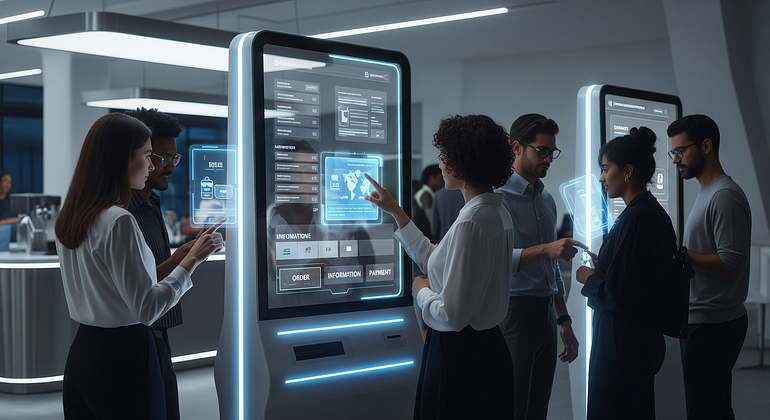
It’s a familiar scene: a long line at the counter, staff moving fast but still struggling to keep up, and customers checking their phones while waiting. Some people leave. Others get frustrated before they’re even served. This is where self-service kiosk machines are changing how businesses operate.
Self-service kiosks are touchscreen machines that allow customers to place orders, check in, make payments, print tickets, or access information on their own, without waiting for staff. When done right, kiosks reduce wait times, improve accuracy, and give customers more control over their experience.
This blog explains when kiosks truly help, where they work best, and how to roll them out smoothly without upsetting customers. You’ll get practical guidance, real-world examples, and a clear rollout plan you can actually use.
What Self-Service Kiosk Machines Are, and Why Customers Like Them
Self-service kiosk machines are interactive touchscreen stations that let customers complete common tasks on their own. These tasks can include ordering food, checking into an appointment, paying bills, printing tickets, or finding directions.
Customers like kiosks for one main reason: they save time and give control. Instead of waiting in line or rushing through a conversation, people can move at their own pace, review options clearly, and confirm choices before proceeding.
From a business point of view, kiosks reduce pressure on staff, improve data accuracy, and keep operations running smoothly during peak hours. But the real value starts with the customer experience.
Faster Service, Fewer Mistakes, and More Control
Speed is the most obvious benefit. Kiosks let customers skip the line for simple tasks. Multiple people can place orders or check in at the same time, which shortens queues and reduces crowding.
Accuracy also improves. When customers enter their own choices, there’s less risk of miscommunication. Clear menus, visual options, and confirmation screens help ensure orders are correct before payment.
Customization becomes easier too. Customers can add extras, remove ingredients, choose time slots, or select preferences without feeling rushed. This often leads to higher satisfaction and, in retail and food service, larger average order values.
Simple example:
In a quick-service restaurant, a customer uses a kiosk to browse the menu, add a combo upgrade, and confirm the order visually. At a movie theater, a kiosk allows ticket selection, seat choice, and instant payment. In a clinic, patients check in, confirm details, and reduce front-desk congestion.
In all cases, the customer feels in control, not hurried.
A Smarter Way to Handle Peak Hours and Short Staffing
Kiosks are especially valuable during busy periods like lunch rushes, event check-ins, or morning appointments. Instead of staff focusing on repetitive tasks, kiosks handle routine transactions.
This allows employees to move into higher-value roles such as assisting customers, preparing orders, resolving issues, or offering personal help where it’s needed most.
Modern kiosks also support multiple languages and accessibility features, such as audio guidance and high-contrast screens. This improves service for a wider range of users and reduces dependency on staff for basic communication.
In short, kiosks don’t replace people. They support teams and help businesses stay efficient even when staffing is tight.

Where Kiosks Work Best, and What Features Matter Most
Not every business needs kiosks, and not every workflow should be automated. The key is understanding where kiosks create real value and which features prevent customer frustration.
Best-Fit Industries and Common Kiosk Use Cases
Some industries see faster returns from kiosks because they deal with high volumes and repeat tasks:
- Restaurants: Ordering kiosks reduce queues, improve order accuracy, and encourage upsells through visual menus.
- Retail: Price-check kiosks, endless aisle access, and self-checkout improve convenience and capture better customer data.
- Healthcare: Patient check-in kiosks reduce front-desk load, speed up registration, and keep records cleaner.
- Hotels: Self check-in kiosks shorten wait times and allow guests to arrive at their convenience.
- Government Services: Payment and permit kiosks reduce lines and make services more accessible.
- Events and Venues: Badge printing and ticket scanning kiosks speed up entry and reduce staffing needs.
Each use case shares the same goal: shorter lines, faster processing, and fewer manual errors.
Key Kiosk Features That Improve the Experience (Not Just the Tech)
The best kiosks are not defined by advanced hardware, but by how easy they are to use.
Must-have features include:
- Simple, uncluttered user interfaces
- Large, clear buttons and readable text
- Fast checkout with minimal steps
- Multiple payment options (tap, chip, mobile wallets)
- Printed and digital receipts
- QR code or ID scanning where required
- Seamless integration with POS, CRM, or scheduling systems
- Remote monitoring to detect issues early
- Analytics dashboards for usage and performance tracking
- Privacy screens for sensitive information
- ADA-friendly design (accessible height, contrast, audio support)
Basic security is essential. Payments should be encrypted, access should be limited, and customer data should never be stored unnecessarily.
When kiosks feel simple and reliable, customers trust them.
How to Roll Out Self-Service Kiosks Without Upsetting Customers
A poor rollout can damage customer trust. A good rollout builds confidence and adoption gradually.
Start Small, Design for Real People, and Train Staff to Guide Customers
Begin with a pilot. Choose one location or one specific task, such as ordering or check-in. Watch real customers use the kiosk and note where they hesitate or get confused.
Simplify steps wherever possible. Place kiosks where lines naturally form and use clear signage to explain what the kiosk does.
During the early phase, assign a staff member as a “kiosk helper.” This person guides customers, answers questions, and builds comfort. Always keep at least one staffed option available for those who prefer it.
Plan for basics like cleaning screens, checking uptime, and having a clear process if a kiosk goes offline. Reliability matters more than features.
Track Results That Matter: Wait Time, Accuracy, and Satisfaction
Before launching, record baseline metrics. After launch, measure again at 30 and 90 days.
Key metrics include:
- Average wait time
- Abandoned kiosk sessions
- Order accuracy or error rates
- Average basket size
- Support requests or staff interventions
- Customer feedback (CSAT or NPS-style surveys)
Success isn’t just about reducing labor hours. It’s about smoother service, happier customers, and more consistent operations.
Conclusion
Self-service kiosk machines improve speed, accuracy, and customer control when implemented thoughtfully. They work best in high-volume environments, during peak hours, and for repeat tasks. However, success depends on simplicity, reliability, and strong staff support.
The smartest approach is to identify one customer journey step that causes delays, test a kiosk solution there, and refine it based on real usage. When kiosks and staff work together, the result is faster service without losing the human touch.
Frequently Asked Questions (FAQs)
What is a self-service kiosk machine?
A self-service kiosk machine is a touchscreen system that allows customers to complete tasks like ordering, check-in, payment, or ticket printing without staff assistance.
Are self-service kiosks expensive to implement?
Costs vary by use case and features, but many businesses see returns through reduced wait times, better accuracy, and improved efficiency rather than direct labor savings alone.
Do customers prefer kiosks over staff?
Many customers prefer kiosks for speed and control, but most businesses succeed by offering kiosks alongside staffed options.
Which businesses benefit most from kiosks?
Restaurants, retail stores, healthcare facilities, hotels, government offices, and event venues benefit most due to high transaction volumes.
How do you prevent customers from getting frustrated with kiosks?
Use simple interfaces, clear instructions, fast performance, and provide staff assistance during the early rollout phase.
Comments
Post a Comment