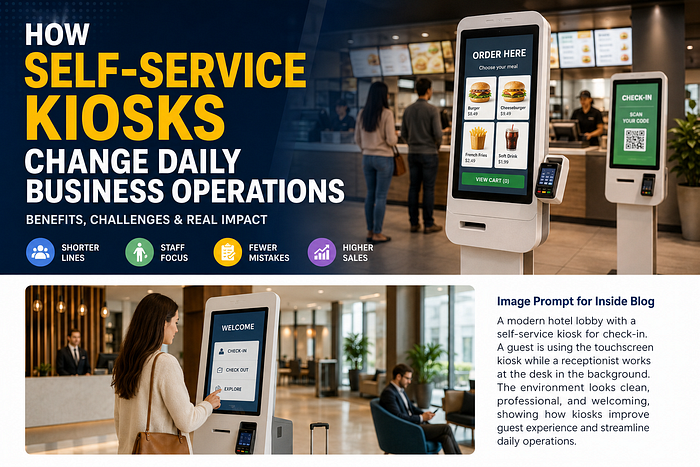
Imagine walking into a busy restaurant during lunch hours, a hotel lobby filled with guests checking in, or a retail store with customers waiting for assistance. In these situations, every minute matters. Self-service kiosks are helping businesses handle these moments by allowing customers to place orders, complete payments, check in, or access services without always waiting for an employee.
However, the real impact of self-service kiosks goes beyond faster service. These systems influence how businesses manage customer flow, employee workload, accuracy, sales opportunities, and daily operations. While kiosks can improve efficiency and convenience, they also require proper planning, maintenance, and staff support.
This article explores how self-service kiosks are changing everyday operations, the benefits they provide, and the important factors businesses should consider before implementation.
How Self-Service Kiosks Change the Pace of Everyday Operations
The most noticeable change after introducing self-service kiosks is how businesses manage customer movement. Traditional service models often depend on employees handling every customer interaction, from taking orders to processing payments. During busy periods, this can create long queues, pressure on staff, and slower service.
Self-service kiosks are helping businesses handle these moments by allowing customers to place orders, complete payments, check in, or access services without always waiting for an employee. This shift is part of the wider growth of digital transformation in business, where companies use technology to improve customer experiences and operational efficiency.
For example, a restaurant using an ordering kiosk allows some customers to place their own orders while staff focus on preparing food and managing operations. A hotel kiosk can allow guests to complete check-in steps while front desk employees handle more complex requests.
The biggest operational change is not only speed. It is the way work is organized across the business.
Shorter Lines and Smoother Flow During Busy Hours
One of the biggest advantages of self-service kiosks is improved customer flow during peak times.
Restaurants experience rush periods during lunch and dinner hours. Airports face passenger surges before flights. Hotels experience busy check-in and check-out periods. During these situations, long lines can negatively affect customer satisfaction.
Kiosks help reduce pressure by giving customers another way to complete routine tasks.
For example:
- Customers can browse menus and place orders without waiting for a cashier.
- Hotel guests can complete basic check-in information independently.
- Retail shoppers can quickly search products, check availability, or complete payments.
This creates a smoother movement of people throughout the location. Instead of everyone gathering at one counter, customers can spread across different service points.
A better flow can make the environment feel more organized and reduce frustration during busy hours.
Businesses looking to improve customer experiences can explore solutions such as Panashi Self-Service Kiosk Solutions that combine hardware and software for different industries.
More Time for Staff to Focus on Higher-Value Tasks
A common misunderstanding is that kiosks completely replace employees. In reality, successful kiosk implementation usually changes how employees spend their time.
Before kiosks, employees often spend a large part of their day handling repetitive activities:
- Taking standard orders
- Entering customer information
- Processing simple transactions
- Answering repeated questions
With kiosks managing these tasks, staff can focus on activities that require human attention.
For example:
In restaurants:
- Employees can focus on food preparation and customer support.
- Managers can monitor operations instead of handling every order.
In hotels:
- Front desk teams can spend more time helping guests with special requests.
- Employees can focus on hospitality rather than paperwork.
In retail:
- Staff can assist customers who need product advice instead of managing every basic transaction.
The goal is not fewer people. The goal is using people where they create more value.
The Hidden Effects on Labor, Accuracy, and Sales
The impact of self-service kiosks is often deeper than what customers see. For business owners and managers, kiosks can influence operational costs, order accuracy, revenue opportunities, and employee productivity.
However, these improvements depend on good implementation. A poorly designed kiosk system can create new challenges instead of solving existing problems.

Fewer Ordering Mistakes and Cleaner Handoffs
Human errors are common in busy environments. Misheard orders, incorrect selections, forgotten add-ons, and payment mistakes can affect customer satisfaction and increase operational waste.
Self-service kiosks reduce some of these problems because customers directly enter their own information.
For example:
A customer ordering food can personally select:
- Menu items
- Sizes
- Customizations
- Extra toppings
- Payment options
This creates a clearer digital record that employees can follow.
However, kiosks are not automatically error-free. Problems can still happen if:
- Menus are confusing
- Information is outdated
- Software is not maintained
- Users struggle with navigation
Good kiosk design focuses on simplicity. A clear interface helps both customers and employees work more efficiently.
How Kiosks Can Increase Average Order Size
Self-service kiosks can also create new sales opportunities through digital recommendations.
Unlike traditional ordering at a counter, kiosks can visually highlight:
- Add-on items
- Combo upgrades
- Popular products
- Limited-time offers
- Recommended choices
For example, when ordering a burger, a kiosk may suggest adding fries or upgrading a drink size.
Visual suggestions can encourage customers to explore more options because they have time to review the menu without feeling rushed.
Many businesses use this approach to improve average order value.
However, businesses should avoid making the experience feel aggressive. Too many pop-ups or unnecessary recommendations can frustrate users.
The best kiosk experiences guide customers naturally instead of forcing extra purchases.
What Businesses Need to Watch With Staffing and Training
While kiosks reduce some repetitive work, they also introduce new responsibilities.
- Basic troubleshooting
- Customer assistance
- Software updates
- Menu changes
- Screen cleaning
- Hardware monitoring
A kiosk is a technology solution, but it is still part of the overall service environment.
For example, an employee may need to help an older customer complete an order or assist when a payment issue occurs.
Training is an important part of successful adoption. Staff should understand how kiosks work and how they support the customer experience.
Businesses should also prepare for situations such as:
- Internet interruptions
- Hardware downtime
- Software errors
- Customer confusion
Proper management ensures kiosks remain a helpful tool instead of becoming an operational problem.
When Self-Service Kiosks Help Most, and When They Do Not
Self-service kiosks are powerful tools, but they are not the right solution for every situation.
The best results come when businesses understand where automation improves the experience and where human interaction remains important.
Best-Fit Businesses and Settings
Self-service kiosks work especially well in businesses with high customer traffic and repeat processes.
Common examples include:
Quick-Service Restaurants
Restaurants benefit because customers often make similar decisions, and kiosks can speed up ordering during busy hours.
Airports
Airport kiosks help passengers complete check-in, print boarding passes, and access travel information.
Hotels
Hotels can use kiosks for faster guest check-in, reducing front desk pressure.
Movie Theaters
Customers can purchase tickets, select seats, and complete payments quickly.
Retail Stores
Retail kiosks can help customers search products, check inventory, or complete self-checkout.
These environments benefit because they have:
- High foot traffic
- Standard processes
- Repeated customer actions
- Need for faster service
Situations Where Human Help Still Matters More
Although kiosks improve efficiency, human support remains important.
Some customers prefer personal interaction, especially when they need:
- Detailed assistance
- Special requests
- Accessibility support
- Product recommendations
- Problem solving
Kiosks may also be less effective when businesses face:
- Poor internet connectivity
- Outdated technology
- Complex service requirements
- Customers unfamiliar with digital systems
The strongest business model is often a combination of both.
A successful service environment uses kiosks for speed and employees for empathy, guidance, and problem-solving.
Future of Self-Service Kiosk Technology
The future of kiosks is moving toward smarter and more connected experiences.
Modern kiosks are increasingly integrating technologies such as:
- Artificial intelligence
- Digital payments
- Customer analytics
- Touchless interactions
- Personalized recommendations
Businesses are no longer using kiosks only as transaction machines. They are becoming customer experience platforms.
Companies that combine automation with human service can create faster, more flexible, and more personalized experiences.
Conclusion
Self-service kiosks are changing daily operations by improving customer flow, reducing repetitive tasks, increasing accuracy, and creating new sales opportunities. Their biggest impact is not simply making service faster, but helping businesses organize their operations more effectively.
However, kiosks are not a replacement for employees. They work best when businesses combine technology with trained staff and proper support.
The future of service is not fully automated or fully traditional. It is a smarter balance where kiosks handle routine tasks and people focus on meaningful customer interactions.
Frequently Asked Questions (FAQs)
1. How do self-service kiosks improve business operations?
Self-service kiosks improve operations by reducing queues, speeding up transactions, improving order accuracy, and allowing employees to focus on more valuable tasks.
2. Do self-service kiosks replace employees?
No. Most businesses use kiosks to support employees, not replace them. Staff can focus on customer assistance, preparation, and problem-solving.
3. Can kiosks increase sales?
Yes. Kiosks can increase sales by showing product recommendations, add-ons, and upgrade options during the ordering process.
4. What industries use self-service kiosks?
Self-service kiosks are commonly used in restaurants, hotels, airports, healthcare facilities, retail stores, banking, telecom, and entertainment businesses.
5. What are the challenges of implementing kiosks?
Common challenges include employee training, maintenance, software updates, internet issues, and ensuring a simple user experience.
6. Are self-service kiosks better than traditional customer service?
Kiosks and human service serve different purposes. The best approach is usually a combination of both to provide speed and personal support.
Comments
Post a Comment