- Get link
- X
- Other Apps
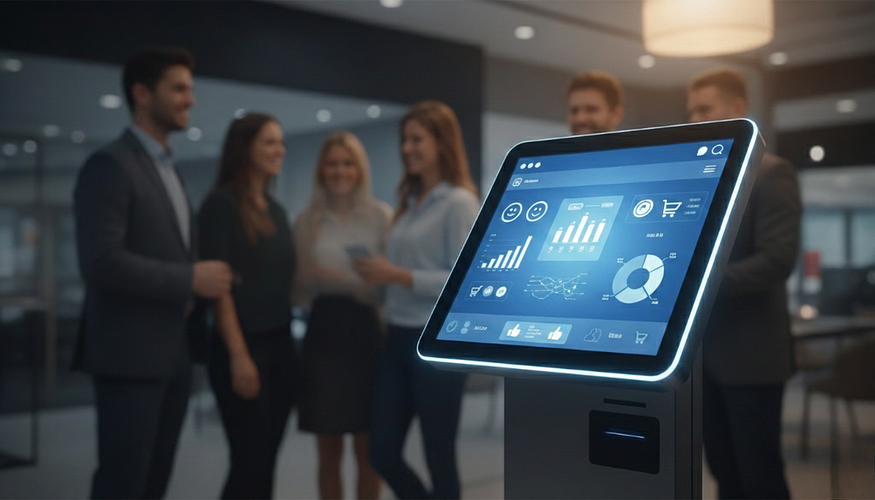
Why Self-Service Kiosks Are Transforming Speed, Service, and Sales
A customer taps a screen, pays in seconds, and walks away with a receipt on their phone.
A visitor checks in at a hospital without waiting at reception.
A traveler prints a boarding pass in under a minute.
That “little screen” isn’t just a smartphone anymore. It’s the self-service kiosk — and it has quietly become a control center for modern businesses.
Across retail, healthcare, hospitality, banking, and government sectors, kiosks are changing how companies sell, serve, and operate. They reduce waiting, increase accuracy, and improve customer satisfaction — all while lowering operational costs.
This blog breaks down:
- What kiosks are really improving (speed, service, sales)
- Where businesses see financial impact (revenue & cost control)
- How to roll out kiosk solutions successfully
What Kiosk Screens Are Really Changing in Business
Unlike traditional counters or paper-based systems, kiosks are:
- Always available
- Consistent in service delivery
- Connected to backend systems
- Designed to reduce friction
The result? Businesses turn waiting time into action time.
1. Faster Decisions and Fewer Bottlenecks
In many businesses, small delays create large inefficiencies:
- Long billing queues
- Manual check-ins
- Approval delays
- Staff dependency for simple tasks
Self-service kiosks eliminate these slow points.
For example:
- In retail, customers can browse, check prices, and complete purchases without waiting.
- In restaurants, customers place and customize orders directly.
- In hospitals, patients register without paperwork delays.
- In offices, visitors check in digitally instead of signing a manual logbook.
When routine processes move to kiosks, staff focus on higher-value tasks instead of repetitive administrative work.
2. Better Customer Experience at the Exact Moment It Matters
Customers remember how easy the process felt — not how complex your backend system is.
Kiosks improve experience by offering:
- Clear step-by-step instructions
- Multilingual interfaces
- Contactless interaction
- Faster transaction completion
- Digital receipts and confirmations
In high-traffic environments, this matters even more.
At airports like Dubai International Airport, self-check-in kiosks significantly reduce congestion during peak hours. In global quick-service chains like McDonald’s, ordering kiosks allow customers to customize meals without pressure from queues behind them.
The key benefit is simple:
The right service at the right time — without waiting for staff availability.
That consistency builds trust. And trust builds repeat customers.
How Kiosks Increase Revenue and Reduce Costs
Technology must show financial impact. Kiosks do that in two main ways:
- Increasing transaction value
- Reducing operational expenses
Let’s break that down.
3. Faster Checkout = Higher Sales
A sale often drops at the final step — when lines are long or systems are slow.
Self-service kiosks:
- Reduce queue abandonment
- Enable faster payment cycles
- Offer upsell prompts automatically
- Accept multiple payment modes (card, QR, NFC, mobile wallets)
Retail stores using mobile POS and kiosk-based checkout systems see:
- Shorter lines
- More completed transactions
- Higher average order values through smart upselling
For example, brands like Apple use mobile checkout tools to complete purchases anywhere in-store, eliminating traditional counter bottlenecks.
The faster the checkout, the lower the friction between “Yes” and “Paid.”
4. Reduced Labor Pressure Without Reducing Service
Kiosks don’t replace staff — they optimize staff.
Instead of assigning employees to:
- Manual billing
- Paper registrations
- Repetitive data entry
- Printing forms
They can focus on:
- Customer support
- Sales engagement
- Technical expertise
- Complex queries
This balance reduces labor strain while improving service quality.
Industries seeing strong kiosk impact include:
- Retail
- Healthcare
- Hospitality
- Banking
- Government services
- Telecom
5. Fewer Errors, Faster Billing
Manual processes create rework:
- Incorrect entries
- Lost paperwork
- Wrong pricing
- Missing signatures
With kiosks:
- Data goes directly into systems
- Payments process instantly
- Digital records are stored automatically
- Reports generate in real time
For field operations, mobile-integrated kiosk systems allow:
- Photo uploads
- Digital signatures
- Immediate invoicing
- Live status tracking
That reduces disputes and accelerates cash flow.
A Simple Plan to Introduce Kiosks in Your Business
You don’t need a massive rollout to start benefiting from kiosk technology.
Step 1: Identify One Major Pain Point
Choose a process that creates:
- Long queues
- Frequent complaints
- Staff overload
- Manual errors
Examples:
- Restaurant ordering delays
- Hospital check-in congestion
- Retail billing queues
- Visitor management issues
Start there.
Step 2: Define One Clear Metric
Track improvement using:
- Reduced wait time
- Increased transactions per hour
- Lower no-show rates
- Faster billing cycles
- Improved customer feedback scores
Keep the pilot short — 30 to 60 days is enough to measure impact.
Step 3: Integrate With Existing Systems
Your kiosk should connect with:
- POS systems
- CRM platforms
- Accounting software
- Inventory systems
- ERP solutions
Disconnected systems create double work. Integration creates efficiency.

Step 4: Prioritize Security From Day One
Kiosk security should include:
- Encrypted transactions
- Role-based access
- Regular software updates
- Remote monitoring capability
- Auto-logout after inactivity
If a kiosk faces public use, physical durability and data protection become even more critical.
Why Kiosk Usage Is No Longer Optional
Today’s customers expect:
- Speed
- Contactless options
- Transparency
- Self-control
Businesses that adopt kiosk solutions see:
- Reduced operational friction
- Higher efficiency
- Better data insights
- Improved customer retention
The biggest advantage isn’t just technology.
It’s removing handoffs.
It’s reducing waiting.
It’s minimizing mistakes.
Conclusion
The “little screen” has evolved. It’s no longer just a smartphone — it’s the self-service kiosk reshaping modern business environments.
From retail stores to airports, hospitals to restaurants, kiosks are:
- Speeding up decisions
- Enhancing customer experiences
- Increasing revenue
- Reducing operational costs
If you want measurable improvement this month, start small.
Audit one workflow.
Deploy one kiosk solution.
Track one performance metric.
When implemented correctly, kiosk-first operations don’t feel like a tech upgrade — they feel like smarter business.
Frequently Asked Questions (FAQs) About Self-Service Kiosks
1. What is a self-service kiosk?
A self-service kiosk is an interactive digital terminal that allows customers to complete tasks without staff assistance. These tasks can include ordering food, making payments, checking in, printing tickets, registering visitors, or accessing information. Kiosks are commonly used in retail stores, restaurants, hospitals, airports, banks, and government offices.
2. How do kiosks improve business efficiency?
Kiosks improve efficiency by:
- Reducing wait times
- Automating repetitive tasks
- Minimizing manual data entry
- Speeding up transactions
- Reducing dependency on staff for simple processes
By eliminating bottlenecks, businesses can serve more customers in less time.
3. Do kiosks replace employees?
No. Kiosks are designed to support staff, not replace them. They handle routine tasks like payments or check-ins, allowing employees to focus on customer engagement, upselling, and solving complex issues. Most businesses use kiosks to improve productivity rather than reduce workforce.
4. Are self-service kiosks secure?
Yes, when implemented properly. Modern kiosks use:
- Encrypted payment processing
- Secure login systems
- Role-based access control
- Automatic session logout
- Remote monitoring
Businesses should also ensure regular software updates and secure network connections.
5. What industries benefit most from kiosks?
Kiosks are widely used across many industries, including:
- Retail
- Restaurants and QSR
- Healthcare
- Banking and financial services
- Airports and transportation
- Telecom
- Government services
- Hospitality
For example, global chains like McDonald’s use ordering kiosks to reduce queue time and increase average order value.
6. How do kiosks increase revenue?
Kiosks increase revenue by:
- Reducing queue abandonment
- Speeding up checkout
- Offering automatic upselling suggestions
- Accepting multiple payment methods
- Operating during peak hours without additional staffing
Faster service leads to more completed transactions per hour.
7. Are kiosks expensive to implement?
The cost depends on features, hardware quality, customization, and integration requirements. However, many businesses see a strong return on investment (ROI) through:
- Labor cost optimization
- Reduced errors
- Faster billing cycles
- Increased transaction volume
A small pilot rollout can help measure impact before full deployment.
8. Can kiosks integrate with existing systems?
Yes. Modern kiosks can integrate with:
- POS systems
- CRM platforms
- ERP software
- Inventory systems
- Accounting tools
- Payment gateways
Proper integration ensures smooth data flow and avoids double work.
Comments
Post a Comment